
 newAvailable
WooCommerce
WooCommerce · E-commerce
Connect your WooCommerce store: the agents answer about products, prices and stock, with product cards and photos in the website chat.
Integrations
Your agents work with your store, your CRM, your phone system, your calendars and your website. Find an integration and set it up from the console in minutes.
newAvailableWooCommerce · E-commerce
Connect your WooCommerce store: the agents answer about products, prices and stock, with product cards and photos in the website chat.
 Available
HubSpot · CRM & contacts
The contact book and HubSpot in sync: contacts come in on a schedule and new ones are sent the moment they are created.
 Available
Google · Calendars
Connect Google Calendar, so the appointments your agents book show up in your team's calendars.
 Coming soon
Meta · Website & channels
Your agent will answer the WhatsApp messages of your business number and hand the conversation to your team when it should.
 Built in
HiNewton · Website & channels
Put an agent on your website as a chat and voice bubble, with your colours, ready topics and a pre-conversation form.
 Available
Microsoft · Calendars
Connect Outlook calendars, so the appointments your agents book show up in your team's calendars.
Built inHiNewton · Telephony
Phone numbers connected to your agents so they answer your calls.
 Built in
HiNewton · Developer tools
Send the details of every call, the call recording and live events to your own systems.
 Built in
HiNewton · Developer tools
Manage agents, calls and contacts from your own code with API keys, and connect AI tools through MCP.
New integration
The agent reads your store's catalogue and talks to your customers around the clock, in the website chat and on the phone. Prices, stock and photos always come from the store.
I'm looking for a filter jug, what do you have?
We have two in stock:
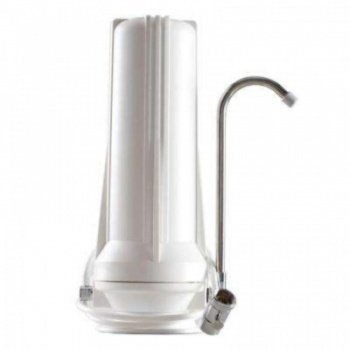
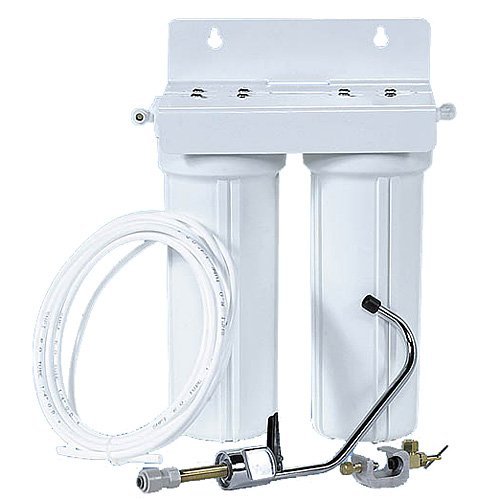
3 steps
All integrations live in one place in the console, on the Integrations page.
In the console, from the menu. You see which are connected and which are waiting to be set up.
Approve the connection in your tool or paste the details it gives you. Step-by-step instructions for every integration.
You switch it on for the agents you want, and from then on they use it on every call and conversation.
The catalogue keeps growing, and whatever is missing you can connect yourself.
Tell us which CRM, store or phone system you use. That is how we decide which integrations we build next.
Contact usTools that call your own HTTP endpoints during the conversation, webhooks after every call, a REST API and MCP for your own AI assistants.
FAQ
All of them. We connect the ready-made integrations (WooCommerce, HubSpot, Google Calendar and Outlook) when we set up your agent. Chat and voice on your website, phone numbers, webhooks and the REST API with MCP are part of the platform.
Not for the ready-made integrations: they connect from the console, with instructions at every step. You only need a developer if you want to connect your own systems through webhooks or the API.
Only what each integration needs. For example, WooCommerce connects read-only, and for sales only the total and the products of an order are read. The primary hosting is inside the European Union.
Yes. Write to us which tool you use and how you want it to work with your agents.